 Billonlinemepco
How to Check Your your billing history Online
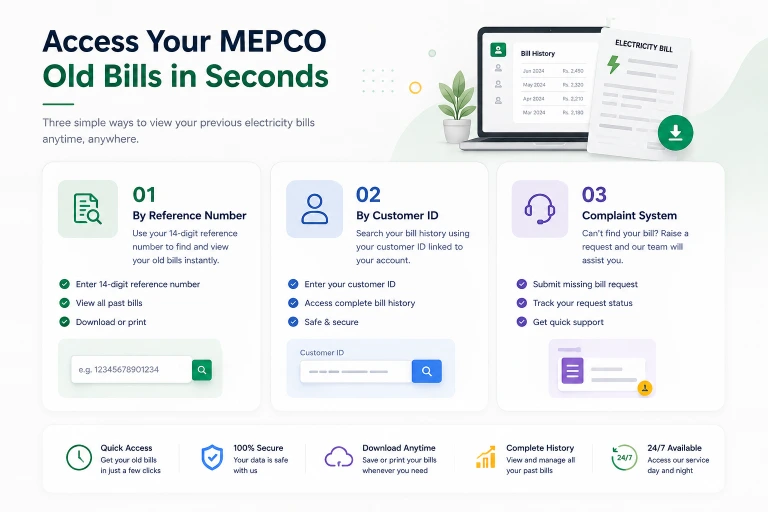
Step 1: Enter your 14-digit reference number in the tool above.
Step 2: Your current bill loads first. Look for a "Bill History" tab, "Previous Bills" link, or a month-selector drop-down on the results page.
Step 3: Select any month from the last 12 to view that bill.
Step 4: Download or print any previous bill as a PDF — identical in all details to the original.
You can check bills from any month in the past year. Each historical bill shows the meter reading, units consumed, all charge line items, due date, and payment status for that month.
Why Your Bill History Matters
Most people only look at their current bill. Your billing history, checked regularly, gives you information no single bill can:
Spot estimated readings early. If you see "EST" appearing for two or three consecutive months, your meter is not being read properly. Estimated readings accumulate error — and the correction when an actual reading finally happens can produce a large corrective bill. Catching this pattern early lets you request an actual reading before it compounds.
Monitor your consumption trend. If your consumption has been creeping up month by month without any change in appliances or occupants, something may be drawing electricity you are unaware of — a faulty appliance, an unauthorized connection, or a meter issue.
Track your protected/unprotected status. Your 6-month rolling average determines whether you are a protected consumer. Keeping a running log of your monthly consumption helps you anticipate whether you are at risk of crossing into unprotected territory and seeing a sudden increase in your bill calculations.
Verify payments were credited. If you paid a bill but the next month's statement shows it as unpaid arrears, your history gives you the documentation to dispute it.
Prepare for complaints. When filing a billing complaint, having 3 to 6 months of history ready strengthens your case considerably.
How to Check If a Specific Month's Bill Was Paid
On the PITC portal, each historical bill includes a payment status field. It will show either:
- Paid — payment was received before the due date
- Paid (late) — payment was received but after the due date (late payment surcharge may have been applied)
- Unpaid — no payment received for that billing period
If you paid a bill but it shows as unpaid in the history, locate your payment receipt (bank deposit slip, JazzCash confirmation, or SMS confirmation) and take it to your subdivision office. Payments on the bank side sometimes take 1 to 2 working days to reflect in the PITC system.
Checking Old MEPCO Bills (More Than 12 Months)
The online PITC portal only stores the last 12 months. For bills older than that:
Subdivision office request: Visit your nearest subdivision office with your CNIC and reference number. They maintain internal records going back several years. They can print or provide a statement of your historical consumption and payments. This typically takes one to three working days.
Circle office request: For formal documentation — such as for legal cases, property disputes, or government applications — request a certified billing history statement from your circle office. Submit a written application on plain paper with your CNIC copy and reference number. Processing takes up to 7 working days.
Digitally-saved bills: If you downloaded any previous bills to your phone or email, those remain valid. The PITC-generated PDF is the same document as the official bill.
Downloading Your Previous Bill as PDF
Any bill visible in the history tool can be downloaded as a PDF:
- View the historical bill using the tool above
- On desktop: press Ctrl+P (or Cmd+P on Mac) and select "Save as PDF" from the printer options
- On mobile: use the browser share button → Print → Save as PDF
- Or use the download button if your browser supports it directly
The downloaded PDF is identical to the original bill — valid for payment, complaints, or documentation purposes.
How to Use Your Bill History to Calculate Protected Status
Your protected consumer status depends on your 6-month rolling average consumption. Here is how to calculate it:
- Pull up your last 6 months of bills from the history tool
- Note the units consumed in each month
- Add them together and divide by 6
- If the result is 200 kWh or less, you should qualify as protected
Example:
- Month 1: 180 kWh
- Month 2: 195 kWh
- Month 3: 210 kWh (one spike month — perhaps a guest visit or AC left on)
- Month 4: 175 kWh
- Month 5: 190 kWh
- Month 6: 185 kWh
- Total: 1,135 kWh ÷ 6 = 189.2 kWh average
This consumer should qualify as protected despite the one spike month. If your bill has been treating you as unprotected, check your 6-month average using this method and file a reclassification complaint if the average is below 200.
Frequently Asked Questions — Bill History
How many months of bill history can I access online?
The PITC portal provides the last 12 months of billing history for any active connection. For older records, contact your subdivision or circle office.
Can I access the bill history of any reference number, not just mine?
The PITC portal is publicly accessible — any valid reference number will show that connection's billing history. The reference number is your access key. There is no password protection on the public-facing bill portal.
My previous month's bill is showing as "not found" in the history — why?
This can happen when a bill was cancelled and reissued in the same cycle (due to a meter reading correction), or when there is a data gap in the portal. In that case, visit the subdivision office and request a printout of that specific month.
I found an error in a previous month's bill that I already paid — can I still get a refund?
You can file a complaint for any billing error, even for previously paid bills. However, corrections on past bills are typically issued as credits against future bills rather than cash refunds. The complaint must specify the month, the error, and the supporting evidence (meter photos, appliance lists, or comparison bills).
My bill history shows consumption much higher than what I remember using — should I worry?
Yes — this is worth investigating. Compare your bill history with any major changes in your household: additional appliances, tenants, seasonal changes. If consumption appears consistently inflated with no corresponding explanation, consider requesting a meter test through your subdivision office. A fast meter is a common cause of unexplained high readings.
Can a landlord access the bill history of their property?
Yes — the reference number is public access. A landlord who knows the reference number for their property can view the billing history online at any time, regardless of who currently occupies the property.
Last updated: August 2026